
Updated 13 November 2026. If you want a used iPad for everyday study, browsing or entertainment, start with the apps you need rather than the cheapest price. The iPad 10th generation at £289 is a sensible starting point for many buyers; the 11-inch M1 iPad Pro at £350 offers more storage and performance for just £61 more. Older £99–£120 models can suit limited offline tasks, but their software limitations matter.
Buying disclaimer: This guide is for general information and comparison only. Every buyer’s needs, budget and preferences are different. The final choice is entirely yours. Check the live product listing for the exact price, stock, condition, battery details, accessories, warranty and return rights before ordering. Your statutory consumer rights remain unaffected.
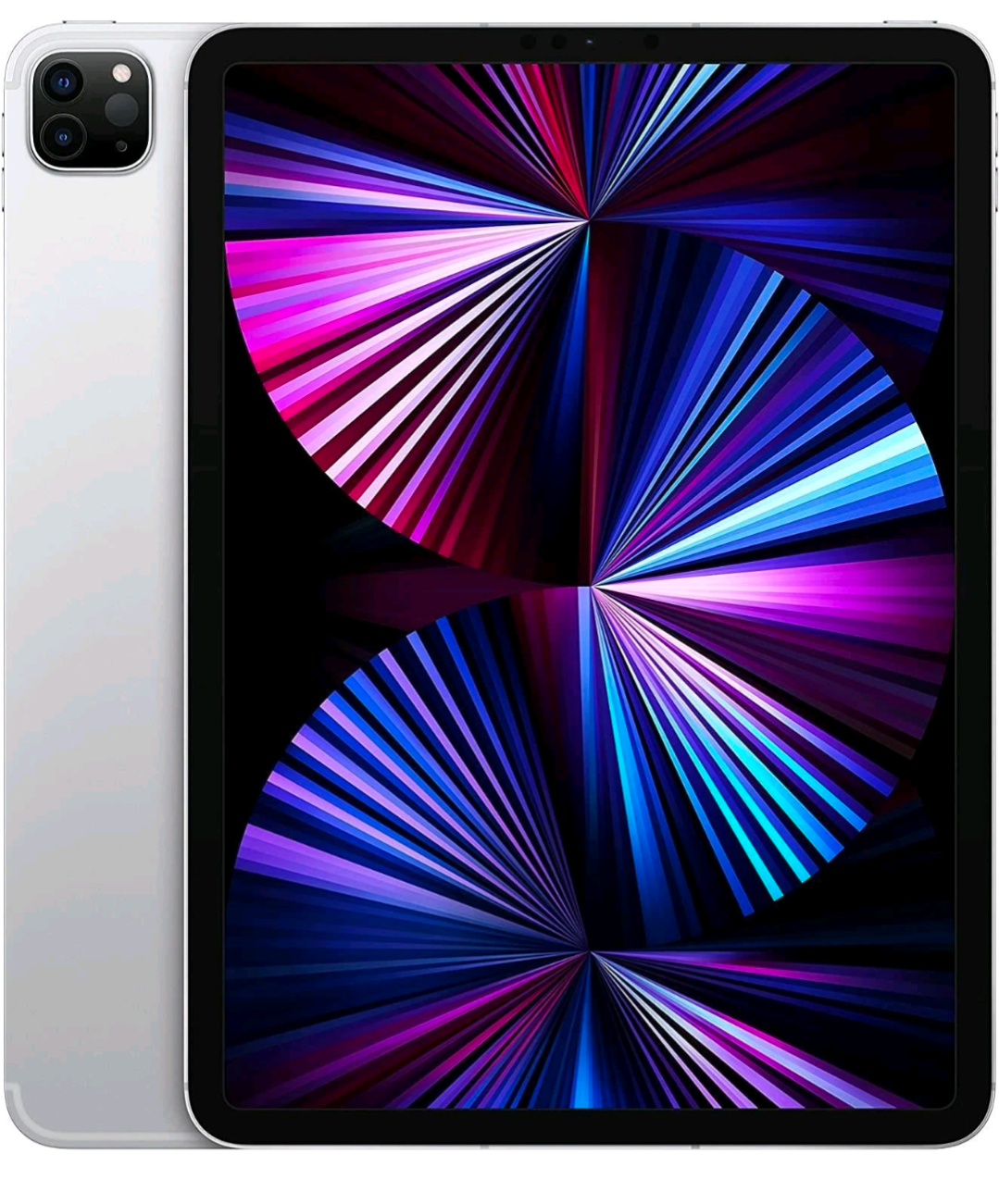
Compare four iPads currently listed at Tech Revive
These prices and stock flags were checked on 13 November 2026. They are not a guarantee of future availability. Cosmetic grades, connectivity and accessories should be confirmed individually.
| Model | Price | Best suited to | Important limitation |
|---|---|---|---|
| iPad 5th generation 128GB | £99 | Offline reading and simple tasks | Older software; no Apple Pencil support |
| iPad 6th generation 128GB | £120 | Basic tasks and compatible first-generation Pencil use | Older software and battery age |
| iPad 10th generation 64GB | £289 | Study, video calls and everyday apps | Limited internal storage |
| iPad Pro 11-inch M1 128GB | £350 | Drawing, multitasking and creative apps | Accessories may cost extra |
Under £200: when an older iPad makes sense
The fifth-generation iPad dates from 2017 and the sixth from 2018. Both have a 9.7-inch display, a home button and Lightning charging. The 128GB storage is useful for locally saved documents, music and photos. The sixth generation also supports the first-generation Apple Pencil; the fifth does not.
However, the fifth generation is limited to iPadOS 16 and the sixth to iPadOS 17. Neither runs the current major iPadOS release. Do not assume that banking, school, streaming or authentication apps will continue working. Check the app’s minimum operating system and Apple’s security release information before buying. For sensitive accounts or a child’s main school device, a newer supported model is generally a safer starting point.
At £120, the sixth generation costs £21 more than the fifth. That difference may be worthwhile for compatible drawing apps, but neither is a good purchase simply because it has more storage than a newer 64GB iPad. A cheap device that cannot run your essential app is poor value.
£200–£500: everyday iPad or M1 Pro?
The tenth-generation iPad has a 10.9-inch display, USB-C charging and a landscape front camera useful for video calls. Its A14 chip is suitable for ordinary study, browsing and many everyday apps. The main compromise is 64GB storage. System files and apps occupy part of that capacity, so frequent video downloads or large games can quickly fill it.
The 11-inch M1 iPad Pro from 2021 has 128GB storage, a 120Hz ProMotion display and more performance headroom for demanding creative apps. It supports the second-generation Apple Pencil and compatible USB-C Pencil. The tenth-generation model supports the USB-C Pencil or first-generation Pencil with the appropriate adapter, not the second-generation Pencil. Check the exact accessory before buying.
At the checked prices the Pro is £61 more. If you edit photos, draw regularly or keep lots of files offline, that extra storage and display may justify the difference. For basic email and reading, the tenth-generation model may already meet your needs. Neither price includes a keyboard or stylus unless the listing confirms it.
Over £500: consider the whole setup
There is no need to spend more simply because you have a larger budget. Consider whether a newer iPad Air or Pro, more storage, cellular connectivity or a laptop would solve a specific problem. A keyboard, protective case and stylus can materially increase the total cost. We are not quoting a price or claiming stock for these alternatives. Browse the current shop or ask our team for available options.
Choose by what you actually do
Students: confirm your course’s required software, file formats and exam tools. Some desktop applications cannot be replaced by iPad apps. For long essays, a laptop may be more practical than a tablet plus keyboard.
Families: check parental controls, app compatibility and whether multiple people need separate accounts. A protective case and reliable charging cable may matter more than premium performance.
Creative users: check Pencil compatibility, drawing app requirements and storage needs. The M1 Pro is a useful option, but a larger display or a newer model may suit particular workflows better.
Accessibility: try text enlargement, VoiceOver, display contrast and touch settings. A larger screen may help reading, while a lighter tablet may be easier to hold. Test the settings you rely on before committing.
Seven checks before paying for a used iPad
- Confirm the exact generation and model number, not just the screen size.
- Check battery runtime and charging behaviour; original advertised battery life is not a promise for a used unit.
- Inspect the screen for scratches, bright spots and touch issues, and check the frame for bends.
- Confirm Activation Lock is removed and the device can be set up with your own Apple Account. Check for unwanted organisation management.
- Test Wi-Fi, speakers, cameras, buttons and the charging port. Confirm whether cellular connectivity is included if needed.
- Check storage, compatible charger, Pencil and keyboard; accessories are not automatically included.
- Read the individual condition description and warranty terms. Ask about any uncertainty before ordering.
For model identification and current software compatibility, consult Apple’s iPad model identification guide and Apple security releases.
Why consider Tech Revive Bristol?
Our independent store at 73 Broadmead, Bristol gives customers a local point of contact for questions about devices and collection. The condition grading and quality checks page explains our approach. The M1 Pro listing specifically states that it is quality checked and includes a 12-month limited warranty for covered technical faults. Check the product warranty, returns and refunds and delivery information before ordering. UK statutory rights, including applicable distance-selling cancellation rights and rights for faulty goods, are separate from any commercial warranty.
Frequently asked questions
Is a £99 iPad still worth buying?
Only if its limited software support and actual battery condition suit your intended use. It is not a good default for current banking or school apps.
Is 64GB enough for an iPad?
It can be enough for light browsing, streaming and cloud-based documents. Large games, offline videos and creative projects may make 128GB or more preferable.
Can an iPad replace a laptop?
Sometimes. Check your required applications, keyboard needs and file handling first. A tablet is not a universal replacement for desktop software.
Does Grade A mean a new battery?
No. Cosmetic grading does not establish battery health. Ask about the individual device’s battery and any documented replacement.