
Short answer: An easy-to-use smartphone is not necessarily the newest or most expensive. For a first-time smartphone buyer, an older adult, or anyone who benefits from larger text, clear audio and simpler controls, start with accessibility settings, screen size, battery condition and the apps they actually need. A modest Samsung Galaxy may be sufficient; an iPhone can be a good choice for someone already familiar with Apple’s interface. The comparisons below use Tech Revive’s listed devices and prices checked on 18 November 2026.
Important buying disclaimer: This guide is for general information and comparison only. Every buyer’s needs, budget and preferences are different. The final choice is entirely yours. Check the live product listing for the exact price, stock, condition, battery details, accessories, warranty and return rights before ordering.
Start with the person, not the phone
Ask what the device needs to do: phone calls, WhatsApp, video calls, banking, NHS services, photographs, maps, or emergency contact. Then consider how it feels in the hand. Someone with limited grip strength may prefer a lighter, smaller device over a very large display. A person with reduced vision may prefer a larger screen, but text scaling and contrast often matter more than screen size alone. If hearing is a concern, test call volume, speaker clarity and compatibility with any hearing devices. Accessibility features should be tested in person rather than assumed from marketing descriptions.
Under £200: straightforward phones for basic needs
Tech Revive currently lists the used Samsung Galaxy A06 64GB Grade A at £89, the used Samsung Galaxy A14 128GB Grade A at £125 and the used iPhone 12 64GB Grade A at £199, all shown as in stock when checked. These are very different choices: the Samsung models use Android, while the iPhone uses iOS. The Galaxy A14’s 128GB storage may be helpful for photos and app downloads; 64GB can fill more quickly, especially after years of use.
Do not buy the oldest handset solely because it costs less. Check whether your banking, transport, health and messaging apps support its software, and whether the device receives appropriate security updates. Some people benefit from Samsung’s Easy Mode on supported Galaxy models, which can enlarge on-screen elements and simplify the home screen. Availability and layout vary by software version. On iPhone, text size, Display Zoom, VoiceOver, AssistiveTouch and other accessibility settings can make daily tasks easier. Neither system is universally easier; familiarity counts.
£200–£500: balance familiarity, screen size and support
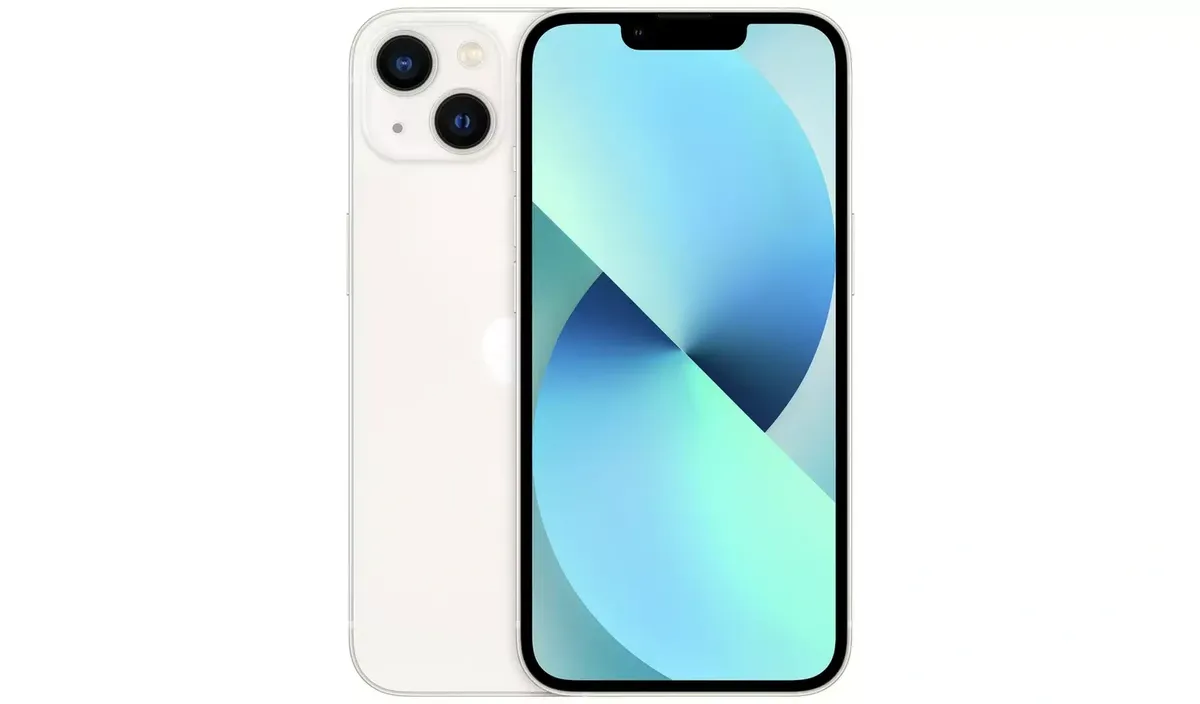
For this budget, consider the used Galaxy A35 5G 128GB Grade A at £219.99, used iPhone 13 128GB White Grade A at £329, used iPhone 14 Plus 128GB Black Grade B at £349 or used iPhone 15 128GB Grade A at £495. Each was listed in stock on 18 November 2026.
The Galaxy A35 offers Android with a relatively large screen and 5G support. The iPhone 13 is an option for buyers who prefer a manageable iPhone size. The iPhone 14 Plus has a larger display, potentially useful for reading, but its larger body may be less comfortable to hold; its Grade B designation also means you should expect visible signs of previous use. The iPhone 15 brings USB-C charging, which may be convenient if other devices in the home use USB-C. Paying more is worthwhile only when those differences help the actual user.
Over £500: when a premium phone is worth considering
Higher spending can bring newer hardware, advanced cameras, improved screens or extra performance, but those features do not automatically make a phone easier to use. Tech Revive lists the iPhone 16 128GB at £620 and the iPhone 16 Pro 256GB Desert Titanium at £699, both in stock when checked. If the user primarily calls family, sends messages and browses, a less expensive model may be the better value. A newer device may be attractive for longer-term compatibility, but future update periods and battery lifespan are not guaranteed. The Pro’s extra camera features may add little for someone who seldom takes photographs.
Seven checks before buying a pre-owned phone
- Try the interface: enlarge text, adjust contrast and test the home screen with the intended user.
- Make a real call: test earpiece, loudspeaker, microphone and hearing-device compatibility if relevant.
- Check the battery: ask for the individual unit’s battery information; cosmetic Grade A does not mean a new battery.
- Confirm connectivity: check SIM or eSIM requirements, network unlock status, 4G calling/VoLTE and Wi-Fi access.
- Check app compatibility: verify the exact banking, NHS, transport, messaging and accessibility apps required.
- Review condition and accessories: inspect scratches, screen, buttons, charging port and the actual included cable or charger.
- Plan setup and backup: transfer contacts, enable a screen lock, set emergency contacts and show the user how to recover an account safely.
Accessibility features worth testing
On supported iPhones, look at VoiceOver, spoken content, Magnifier, Live Captions where available, larger text, Reduce Motion, AssistiveTouch and accessibility shortcuts. On supported Samsung Galaxy devices, explore TalkBack, font and screen zoom, magnification, hearing enhancements, interaction controls and Easy Mode where available. Some functions depend on model, region, software and language. Avoid assuming that a feature shown in a tutorial is available on every used phone. For a person with dexterity difficulties, a protective case with good grip and a stable charging arrangement may matter more than processor speed.
How much storage and battery capacity do you need?
For calls, messages and occasional photos, 64GB may be workable, but operating-system files and apps reduce usable space. A 128GB device leaves more room for photographs, downloads and future apps. If the user records long videos, stores music offline or has a large photo library, compare higher capacities. A used phone’s battery endurance depends on its age, past charging habits, signal strength, display brightness and use. Ask for the specific unit’s battery condition, rather than relying on generic manufacturer runtime claims. If an older phone has weak battery performance, a replacement can add cost and inconvenience.
Why compare devices at Tech Revive Bristol?
Tech Revive is an independent device retailer at 73 Broadmead, Bristol BS1 3DX. Local shoppers can ask about a particular handset’s cosmetic grading, battery information, included accessories and possible collection arrangements before travelling. Compare the condition grading and quality-check guidance, product warranty terms, returns and refunds policy and delivery and returns information before ordering. Warranty exclusions or store policies do not override your rights under the Consumer Rights Act 2015. For qualifying distance purchases, statutory cancellation rights normally apply, subject to applicable exceptions; read the retailer’s policy and your legal rights separately.
Frequently asked questions
Is iPhone or Samsung easier for an older person?
Neither is automatically easier. Familiarity with the interface, adjustable text, audio and the exact apps needed are more important. Try both if possible, and consider which platform family members can help support.
Does a larger screen always help?
No. It can improve reading comfort but may be heavier or harder to hold. Test text scaling on a smaller phone before paying for a large model.
Should I buy a used phone for online banking?
Only after confirming that the model runs a supported operating system, receives appropriate security updates and supports the specific banking app. Avoid unsupported older phones for sensitive accounts.
Does Grade A mean perfect battery health?
No. Cosmetic grading and battery condition are separate. Request details for the individual device and read the warranty terms.
Can someone help set up accessibility options?
Ask the shop what setup help is available. You can also configure most accessibility settings yourself through iOS or Android settings; use the manufacturer’s instructions for the exact model.
Final reminder: This guide is for general information and comparison only. Every buyer’s needs, budget and preferences are different. The final choice is entirely yours. Check the live product listing for the exact price, stock, condition, battery details, accessories, warranty and return rights before ordering.