
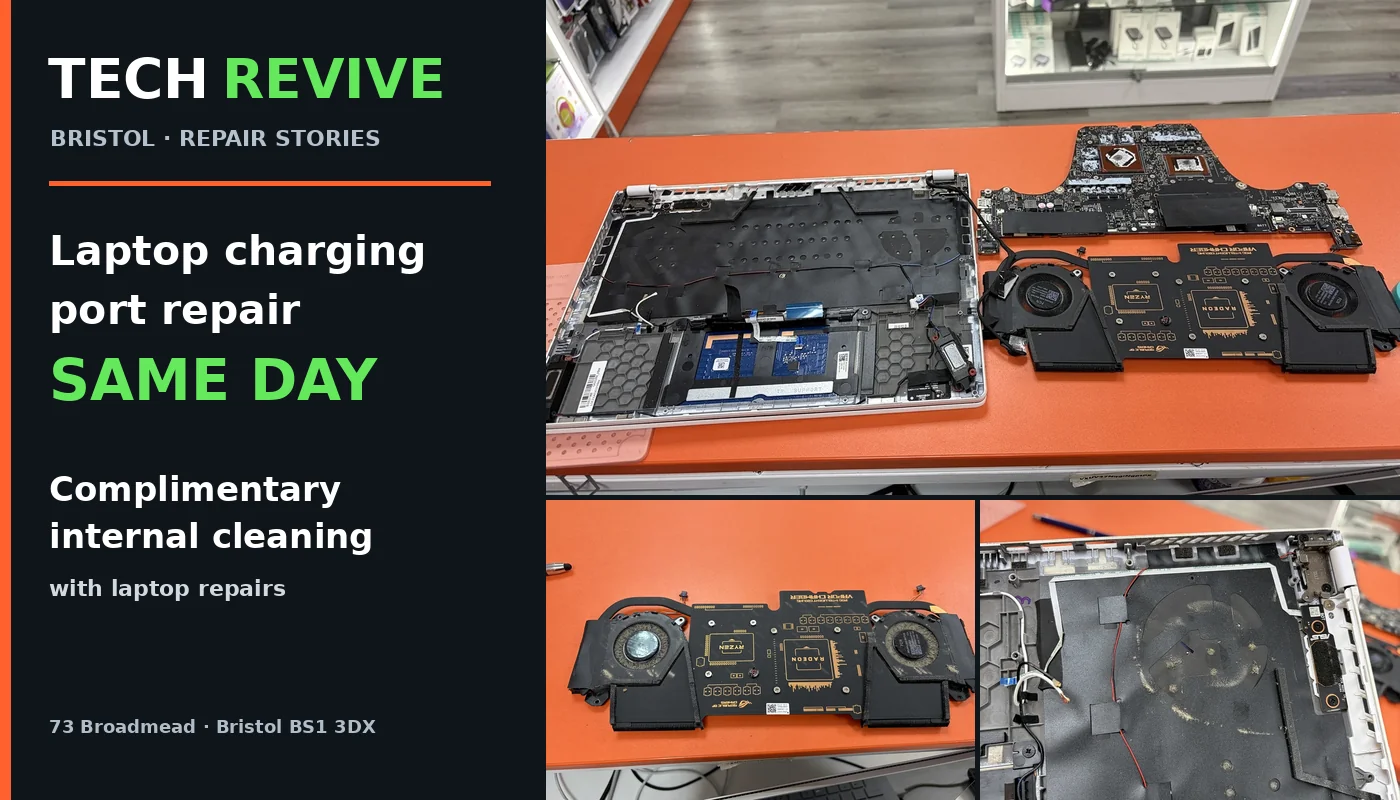
Real repair story from Tech Revive, Bristol: A customer brought an ASUS ROG gaming laptop to our Broadmead repair shop because of a charging-port problem. Our technicians completed the charging-port repair on the same day. While working inside the laptop, we also carried out a complimentary internal dust clean—an additional service we provide with laptop repairs, at no extra charge.
If your laptop is not charging, the power cable feels loose or the charging socket has been damaged, visit Tech Revive, 73 Broadmead, Bristol BS1 3DX, or book a laptop repair online. Same-day completion depends on the fault, parts availability and the work required; this featured customer’s repair was completed in one day.
Customer repair story: an ASUS ROG laptop with a charging-port issue
Gaming laptops work hard. Their power connectors, cooling fans and internal components can experience wear, dust build-up and heat during everyday use. In this recent workshop job, our customer brought in an ASUS Republic of Gamers (ROG) laptop for a charging-port repair.
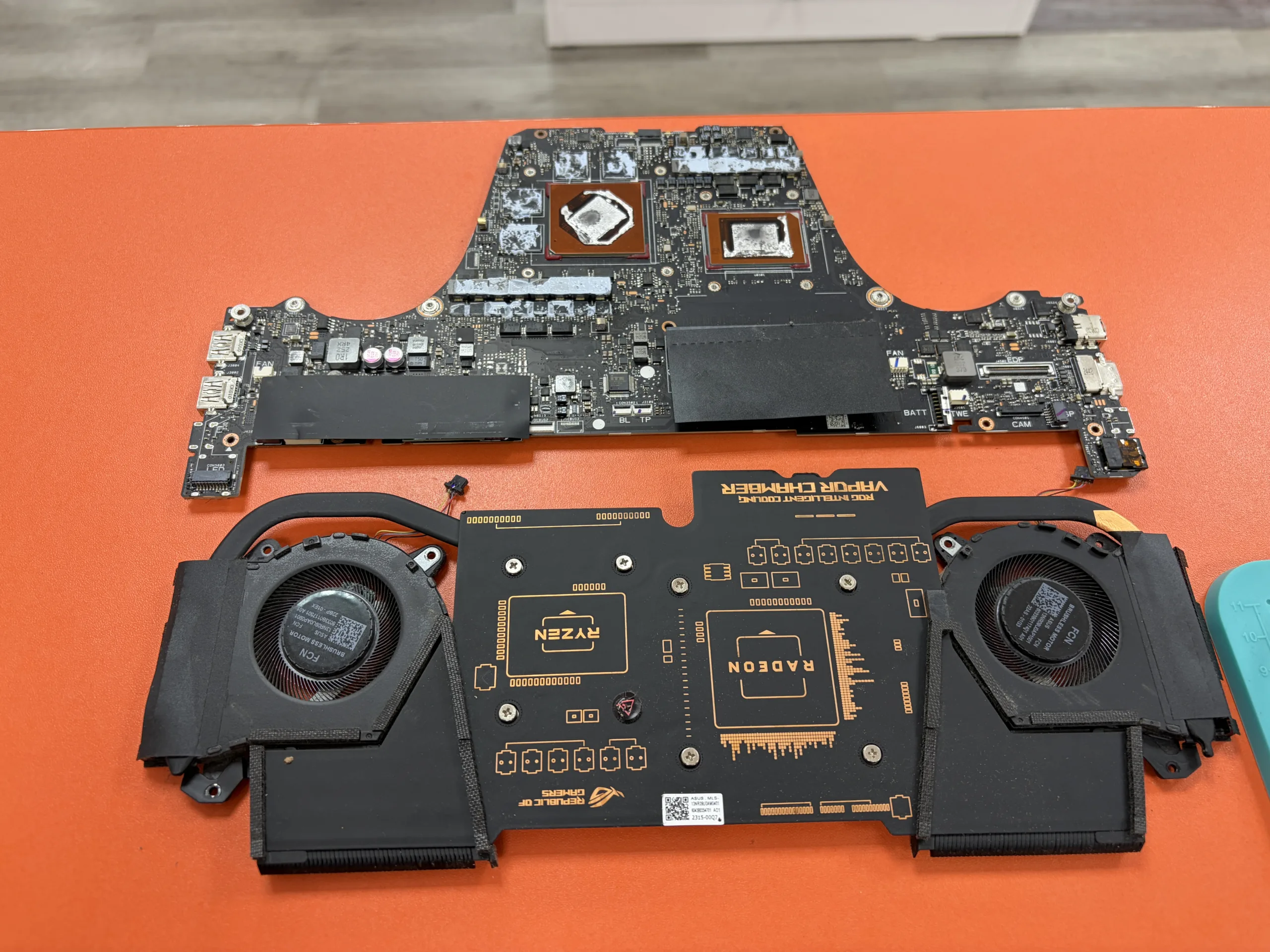
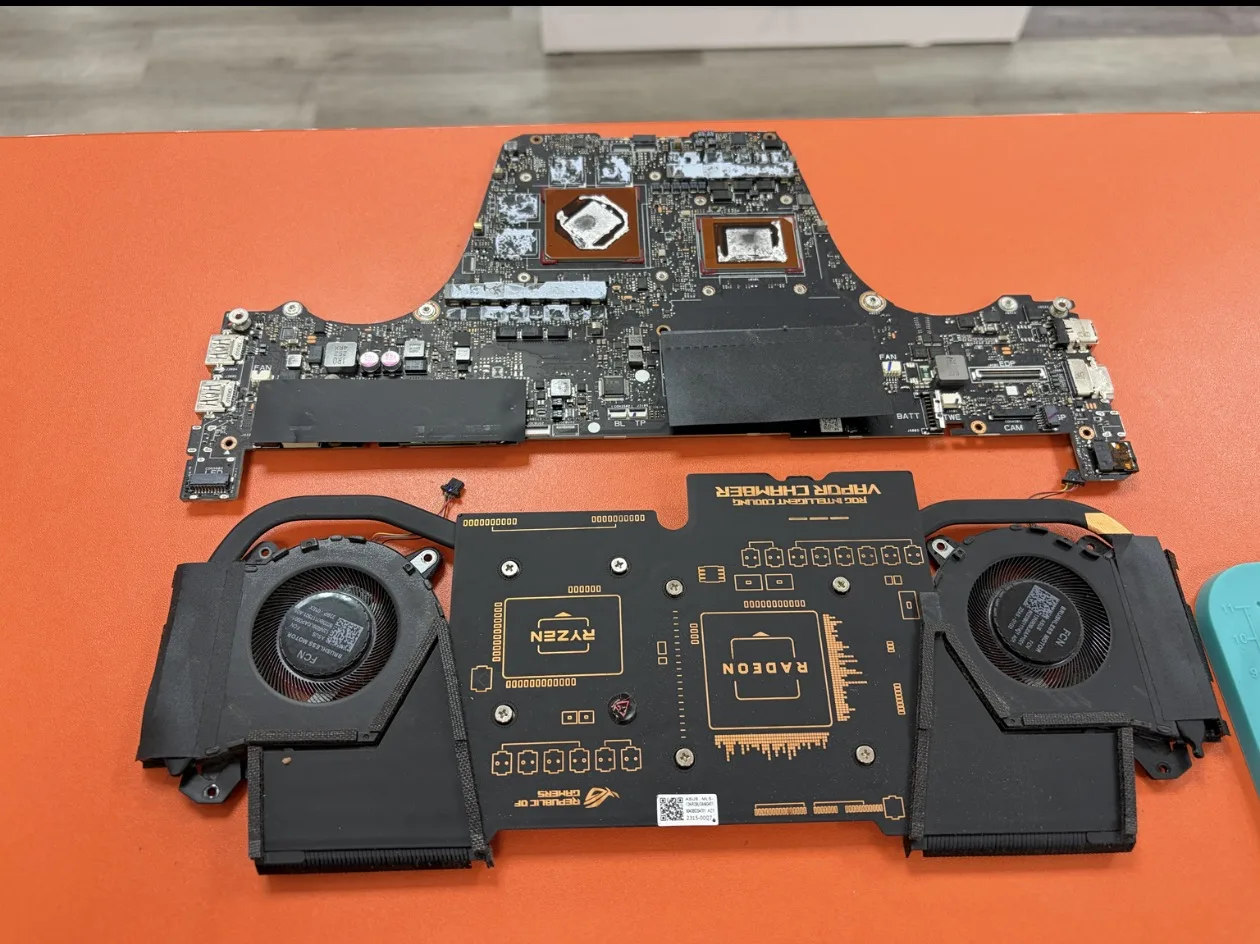
Our technicians opened the device to access and assess the affected hardware. The internal cooling system included two fans, heat-dissipation components and a mainboard built around AMD Ryzen and Radeon hardware. The workshop photographs show the disassembled laptop, its motherboard, cooling assembly and visible dust around the fan and interior surfaces.
The result: the customer’s charging-port repair was completed the same day. We also performed the internal cleaning as a complimentary extra, rather than treating a straightforward opportunity to clean the device as a separate charge.
What can cause a laptop charging port to stop working?
A charging fault does not always mean that the charging port itself is broken. A damaged cable, power adapter, battery, connector, daughterboard or motherboard charging circuit may cause similar symptoms. That is why we check the likely cause before quoting for work.
- Loose or intermittent connection: the laptop may charge only when the cable is held at a particular angle.
- Damaged charging socket: repeated plugging, pulling or impact can weaken the internal connection.
- No charging indicator: the laptop may not recognise the power adapter or may fail to start.
- Broken or distorted USB-C socket: on laptops charged via USB-C, connector damage can affect both charging and data functions.
- Charging-circuit problem: if the socket and charger are working, the issue may be elsewhere on the board.
Do not continue forcing a loose connector into place or using a charger that sparks, smells unusual or becomes abnormally hot. Turn the laptop off and arrange an inspection.
How our laptop charging-port repair service works
1. Check the charging symptoms
We start with what the customer has noticed: for example, intermittent charging, a physically loose socket or a laptop that will not power on. Compatible adapter and connector checks help distinguish a port fault from other electrical faults.
2. Access the laptop safely
Some charging sockets are mounted on a small replaceable assembly; others are soldered to a motherboard. The correct repair method depends on the individual make and model. We open the laptop carefully to gain access and avoid damaging fragile cables and connectors.
3. Repair the confirmed fault
After diagnosing the problem, we explain the recommended repair and cost. Depending on the laptop, this may involve a charging-port replacement, a connector repair or further board-level work. We do not automatically replace parts simply because a laptop will not charge.
4. Check charging and reassembly
Following the repair, our workflow includes checking the charging connection, inspecting the assembled device and making sure the laptop can be returned in a suitable working condition.
5. Include complimentary internal cleaning
Where the device is safely accessible during the laptop repair, we clean accumulated dust from the relevant interior areas and cooling system as a complimentary service. The cleaning is included with the repair, not added to the invoice as an unexpected extra.
Why we offer free internal cleaning with laptop repairs
In the customer’s ASUS ROG laptop, dust was clearly visible on the fans and inside the chassis. It is common for dust to collect around vents, fan blades and heatsink fins over time, particularly on laptops used for gaming, work or long daily sessions.
A careful internal clean can help remove obstructions to airflow and support the cooling system’s normal operation. It can also make a laptop easier to inspect while components are already accessible. Cleaning cannot repair a broken charging port by itself, and it is not a guarantee against overheating; fan faults, thermal interface issues and other causes may require separate diagnosis.
Our approach is simple: when a customer pays for a laptop repair or component replacement that gives us safe access to the interior, we include appropriate internal dust cleaning at no additional charge. We explain separately if a device requires specialist liquid-damage treatment, extensive cooling-system repairs or other work outside the normal complimentary clean.
Which laptops can Tech Revive repair?
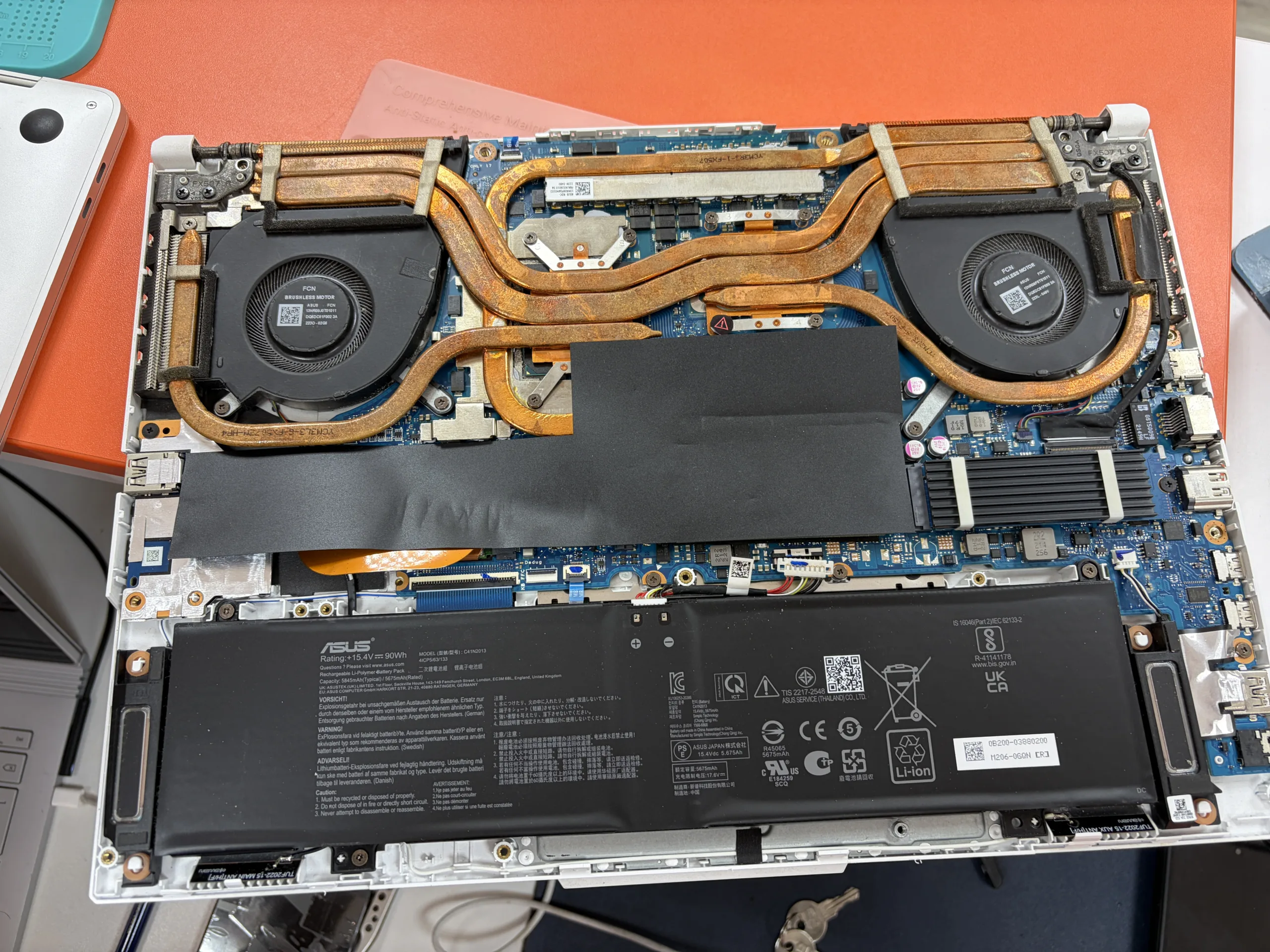
We work on a wide range of laptops, including ASUS ROG and TUF, Dell, HP, Lenovo, Acer, MSI, Microsoft Surface and Apple MacBook models. Common services include charging connector issues, screen repairs, battery replacement, keyboard faults, fan problems, SSD upgrades and diagnosis of devices that do not power on. Repair feasibility depends on the exact model and condition.
If you have a gaming laptop with a noisy fan, heavy dust build-up or recurring power problems, please mention those symptoms when booking so our team can plan the right inspection. We are an independent repair business and are not an authorised repair centre for those manufacturers.
Can my laptop charging port be repaired on the same day?
Sometimes, yes. The ASUS ROG charging-port job featured in this case study was completed on the same day the customer brought it in. Other repairs may require specialist parts, additional board-level diagnosis or extra time to complete safely. We will explain the expected turnaround after assessing the particular device, rather than promise every customer an immediate repair.
To reduce delays, tell us the laptop brand and model, describe the charging fault and bring the correct charger if available. You can use our online repair booking page or contact us in advance.
How much is a laptop charging-port repair in Bristol?
The cost depends on whether the socket is on a separate daughterboard or soldered to the motherboard, how much disassembly is needed and whether other charging components are faulty. We assess the device and provide a price for the necessary work; we do not advertise one fixed price for all makes and models. The complimentary internal cleaning with an eligible laptop repair does not add to the quoted repair price.
Frequently asked questions
Do you fix laptop charging ports in Bristol?
Yes. Tech Revive repairs charging issues and charging ports on many laptop brands at 73 Broadmead, Bristol BS1 3DX. The correct fix depends on diagnosis and the exact model.
Can you fix my laptop charging socket on the same day?
Same-day repair may be possible. A recent ASUS ROG customer charging-port repair was completed the same day. More complex faults or parts orders can take longer.
Is internal cleaning free when you repair my laptop?
Yes, appropriate internal dust cleaning is included at no extra charge when we carry out a laptop repair or component replacement and safe access permits. Specialist cleaning or unrelated repairs may be quoted separately.
Will deep cleaning fix an overheating laptop?
Removing obstructive dust may improve airflow, but overheating can have other causes such as fan, heatsink or thermal-contact problems. We assess those separately if needed.
What if my laptop does not charge through USB-C?
USB-C charging faults may be caused by the port, charger, cable, charging controller or board. Bring the device and its charger for assessment; not all USB-C ports support charging.
Do you repair gaming laptops, including ASUS ROG?
Yes. We work on ASUS ROG and other gaming laptops. We can assess charging, fan, cooling and additional hardware faults according to the model and available parts.
Do I need to make an appointment?
You can visit our Broadmead store or book online. Contacting us with your exact model ahead of time helps with parts and scheduling.
Does charging-port repair erase my files?
A charging-port repair does not normally require erasing files, but all hardware work carries some risk. Back up important data first wherever possible, and tell us if your laptop contains essential files.
Visit Tech Revive for laptop repair in Broadmead, Bristol
Tech Revive
73 Broadmead
Bristol BS1 3DX
Open seven days
WhatsApp: 07377 771745
Book a laptop repair online or find more information about our laptop repair services in Bristol, Bristol store and repair warranty.
Case study: October 2026. Photographs supplied by our workshop show the device disassembled for servicing. Exact repair methods and turnaround vary by model and fault.