
Power, storage, memory and hardware faults
Boot errors, crashes and software troubleshooting
SSD, memory and selected component upgrades
Options and price explained before chargeable work
Computer faults we commonly assess
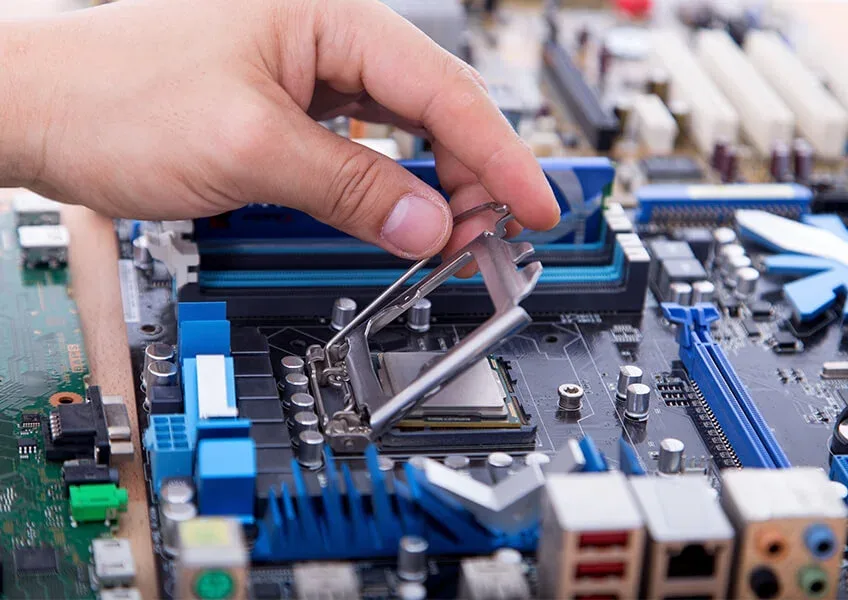
A computer that is slow, noisy, unstable or unable to start can have several possible causes. Replacing parts without diagnosis can waste money, so we start by understanding the symptoms and checking the relevant hardware or software.
- No power or no display: power-supply, motherboard, graphics, memory, cable and monitor-related faults.
- Slow performance: ageing hard drives, limited memory, background software, thermal problems or storage issues.
- Windows boot and software faults: startup errors, update problems, corrupted system files and selected malware-related issues.
- Storage problems: failing drives, SSD upgrades and selected data-recovery assessment where a device or drive is damaged.
- Overheating and noise: blocked cooling, worn fans, thermal issues and systems that shut down under load.
- Connectivity and peripherals: selected USB, Wi-Fi, Bluetooth, audio and accessory faults where diagnosis is practical.
Repair, upgrade or replace?
Not every older computer is worth repairing, but many systems can remain useful after the right targeted work. An SSD upgrade can improve a machine that is bottlenecked by an older hard drive, while extra memory can help systems that regularly run out of available RAM. Hardware upgrades only make sense when the rest of the computer is suitable, so we explain the likely benefit before recommending them.
If you actually need help with a portable computer, use our dedicated Laptop Repair Bristol page. For MacBook Air or MacBook Pro faults, see MacBook Repair Bristol.
Important data?
If your computer contains important files, tell us before repair work begins. Where the system still operates, maintain a current backup whenever possible. A damaged drive or unstable computer can deteriorate further.
How computer repair works
- Tell us the symptoms. Include any error messages, noises, recent upgrades, liquid exposure or previous repair attempts.
- We assess the likely cause. Some issues are straightforward; others require diagnostics before a final repair price is possible.
- You approve chargeable work. We explain the practical repair or upgrade option before proceeding.
- The relevant function is tested. Turnaround depends on the fault, parts availability and any additional problems found.
Computer Repair Bristol FAQs
Do you repair desktop computers in Bristol?
Yes. Tech Revive can assess many desktop PC and all-in-one computer faults. Support depends on the hardware, age of the system, fault and availability of compatible parts.
Can you make a slow computer faster?
Sometimes. We first identify the bottleneck. Storage, memory, software, cooling or ageing hardware can all affect speed, and the sensible upgrade depends on the system.
Can you repair a PC that will not turn on?
We can assess no-power faults, including selected power-supply, motherboard, memory and other hardware problems. A diagnosis may be needed before costs can be confirmed.
Do you remove viruses or malware?
We can assess selected Windows software and malware-related problems. Where account compromise is suspected, you may also need to change passwords and secure affected online accounts.
Where is Tech Revive?
Tech Revive Bristol is at 73 Broadmead, Bristol BS1 3DX. Booking first is recommended if you need a specific turnaround or specialist assessment.
Book computer repair in Bristol
Tell us what the computer is doing, the make or build details where known, and whether your data is important.